
A Secure Way to Share Snippets of Sensitive Information
A Secure Way to Share Snippets of Sensitive Information Online
There is a habit most of us have that we rarely stop to question. Someone needs a Wi-Fi password, an API key, or a server config, and we just paste it into a Slack message, an email, or a text thread. It gets there, the job gets done, and nobody thinks twice about the digital trail left sitting behind in that inbox or chat history.
That trail is the problem — and it is a bigger one than most teams realize.
Plain-text secrets in inboxes, chat logs, and message histories are a quiet compliance risk and a very loud liability when something eventually goes wrong. Puny.io built Capsule specifically to close that gap without disrupting the way your team actually works.
What Capsule Does
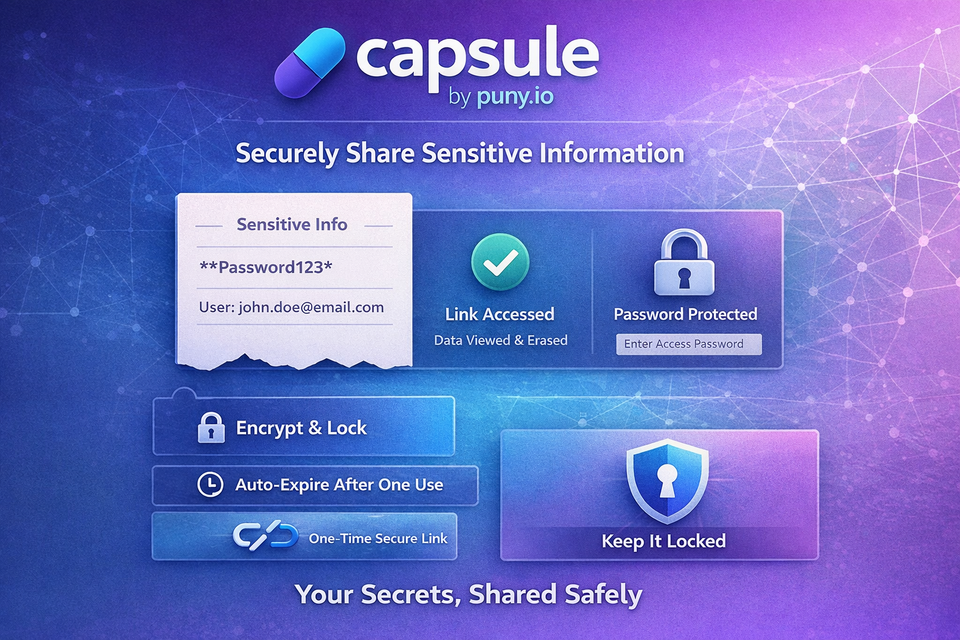
Capsule is a secure text-sharing tool built directly into the Puny.io platform. You paste up to 2,048 characters of sensitive content, and Capsule generates an encrypted, password-protected link. The recipient opens the link, enters the password, reads the content, and that is it. The content is permanently gone.
No caching. No indexing. No long-term storage. No retrievable history. Nothing left behind for an auditor, an attacker, or an accidental screen share to expose.
The link and the password are transmitted separately, meaning interception of one is completely useless without the other. If you want an additional layer of protection, you can configure the link as single-use, meaning it self-destructs after the first view regardless of anything else. Burn-after-reading, built right into your workflow.
What You Can Send
Capsule is purpose-built for the kinds of information that should never live in a chat thread or email chain:
- API keys and tokens
- Wi-Fi passwords
- Login credentials
- Crypto wallet recovery phrases
- Server configurations
- Legal snippets and NDA-sensitive content
- Private internal notes
- Two-factor backup codes
If it should be read once and forgotten, Capsule is the right tool for it. If it would create a problem sitting in someone's inbox six months from now, it belongs in a Capsule instead.
How It Works
The workflow comes down to three simple steps.
Step 1 — Write: Paste up to 2,048 characters of sensitive text into Capsule.
Step 2 — Share: Send the Puny short link and the generated password through separate channels. A Slack message for the link, a text for the password. An email for one, a call for the other. The separation is the security.
Step 3 — Done: Your recipient views the content once, and it is permanently erased. End-to-end encrypted transfer, single-use option available, zero trace left on either end.
It takes about thirty seconds from start to finish.
Why This Matters
Most data exposure incidents do not happen because someone cracked an encrypted vault. They happen because a developer pasted a production API key into a help ticket five months ago, or because credentials were emailed during an onboarding process and nobody cleaned up the thread.
The weakest link in credential security is almost always the moment of transmission. That is the exact gap Capsule is designed to close.
Whether you are a solo developer passing keys to a contractor, a finance team sharing sensitive account details internally, or a DevOps team rotating credentials across environments, Capsule gives you a clean, auditable, privacy-respecting way to handle that transmission without building new habits or adopting new tooling from scratch.
Stop Pasting Secrets in Plain Text
Every time a credential or piece of sensitive information travels through an unencrypted, persistent channel, it creates exposure. It also potentially creates a compliance finding. Capsule removes that exposure without adding meaningful friction to your workflow — and it is available right now, for free.
Sign up free today at puny.io/subscription/pricing and create your first Capsule in seconds.
Want to see how Capsule fits into your team's workflow? Book a meeting with us or contact us directly — we are happy to walk you through it.
CyberSecurity #InfoSec #DataPrivacy #PunyIO #SecureSharing #PasswordProtection #Encryption #SaaS #DevTools #Compliance #APIKeys #ZeroTrust #DigitalSecurity #URLShortener #TechTools



Member discussion